MetaData rejectされました

CFBundleDisplayNameを変更しましたが、
CFBundleNameも変更する必要がありそうです。

これで再審査だしてみます。
2015年5月29日金曜日
[iOS][Apple Watch] 錬金術師のレシピのApple Watch開発から申請まで3

2015年5月15日金曜日
[iOS][Apple Watch] 錬金術師のレシピのApple Watch開発から申請まで2
MetaData rejectされました
プロジェクト名とアプリ名が違わない場合あまり起きないとおもわれる。
Rejectメッセージが丁寧になって、どうすればいいかまで書いてあってすごく助かります。

3.4 - App names in iTunes Connect and as displayed on a device should be similar, so as not to cause confusion
に引っかかったようです。

ちゃんと、リストまで表示してくれています。
- Name on the App Store: Alchemist's Recipe
- Name displayed on iPhone: Alchemist's
- Name displayed on Apple Watch companion app: omoikane
- Name displayed on Apple Watch: Alchemist's

はじめ、
Name displayed on iPhoneは、長いので短くした表示名まで、合わせなくてはいけないようになったかと
焦りましたが、
これは、リリース時から通っているのでsimilarであると信じ
- Name displayed on Apple Watch companion app: omoikane
だけ修正をいれて審査にだしました。
InfoPlist.stringを追加して、CFBundleDisplayNameを定義(En,ja)

extensionのアプリ名までちゃんとしないといけないと思いませんでした。


これで再審査だしてみます。

*プロジェクト名:omoikane(オモイカネ)は、知恵の神様です。
2015年5月6日水曜日
[iOS][Apple Watch] 錬金術師のレシピのApple Watch開発から申請まで
「錬金術師のレシピ」にApple Watch対応の開発から申請までの困ったこと(ISSUE)。

[開発]
1、iOS6対応の古いソースに追加してよいのかわからなかった。
  追加可能だった。
2、xcode6.3.1を使用すると、apple watchがbuildできない。
    IPHONEOS_DEPLOYMENT_TARGET = 8.3;を4箇所「8.2」にかえてやる必要がある
   watch OSが8.2でiOSのバージョンより下なのが問題なのだろう。
3、Objectiv-Cで作成したが、WEBで検索するとサンプルがswift.
4、アプリ名のローカライズ
  InfoPlist.stringでAppleWatchもアプリ名が指定できる
5、アイコンのサイズがpt単位
  基本2倍のpxで、@3指定のものはptを3倍にすればOK.
  形式でアルファチャンネルをいれないようにする。
  対応したつもりでアップロードしたら、メールでアルファチャンネルはいっているよ。って送られてきた。

[申請]
1、Watch Kit,ExtensionともにAppidを作成して、プロビジョニングを作成する必要がある
  開発段階だと気にしなくてよく、アーカイブもできるけど、いざアップロードしようとすると失敗する
2、5.5,4.7インチのスクリーンショットが、画面サイズに対応すると必須になった

とりあえず審査待ち状態になった。
2015年4月9日木曜日
[Unity][ios][Hagoita] NSURLProtocol を使ったiOS連携のテスト
Unityで出力したProjectでのHagoitaが導入できるかテストしてみました
Hagoita: https://github.com/withstandist/hagoita
今回は、簡単な動作テストのため、HKURLProtocolをカスタマイズしたものを使います。
つまり、普通にNSURLProtocolとUnityの連携になります。
1,Unityで,uGUIでボタンを作成

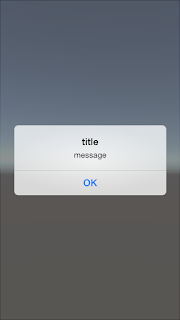
4、結果
できました。
アンドロイドでの同様な仕組みができれば、使い道は広がりそうです。
Hagoita: https://github.com/withstandist/hagoita
今回は、簡単な動作テストのため、HKURLProtocolをカスタマイズしたものを使います。
つまり、普通にNSURLProtocolとUnityの連携になります。
1,Unityで,uGUIでボタンを作成
using UnityEngine;
using System.Collections;

public class buttonAction : MonoBehaviour {

 // Use this for initialization
 void Start () {

 }

 // Update is called once per frame
 void Update () {

 }

 public void ClickTest () {
  Debug.Log ("Clicked.");
  StartCoroutine(Get("http://localhost:7777/test"));
 }

 IEnumerator Get (string url) {
  // 送信開始
  WWW www = new WWW (url);
  yield return www;

  // 成功
  if (www.error == null) {
   Debug.Log ("Get Success");
  } else {
   Debug.Log ("Get ERROR");
  }
 }
}
2、HKURLProtocolカスタムを用意
//
//  HKURLProtocol.m
//  Unity-iPhone
//
//  Created by KIMITA Yusuke on 2015/04/09.
//
//

#import "HKURLProtocol.h"

@implementation HKURLProtocol


+ (BOOL)canInitWithRequest:(NSURLRequest *)request{
    NSLog(@"canInitWithRequest");
    return YES;
}


+ (NSURLRequest *)canonicalRequestForRequest:(NSURLRequest *)request
{
    return request;
}

- (void)startLoading
{
//Alertをだしてみた
    UIAlertView* alert = [[UIAlertView alloc]initWithTitle:@"title" message:@"message" delegate:nil cancelButtonTitle:@"OK" otherButtonTitles:nil, nil];
    [alert show];

    [self responseJSONWithHttpStatusCode:200 data:[@"{}" dataUsingEncoding:NSUTF8StringEncoding]];
}

- (void) responseJSONWithHttpStatusCode:(int)statusCode data:(NSData*) data{
    NSDictionary*headers = [NSDictionary dictionaryWithObjectsAndKeys:@"application/json", @"Content-Type",
                            [NSString stringWithFormat:@"%ld",[data length]], @"Content-Length",
                            nil];
    NSHTTPURLResponse* response = [[NSHTTPURLResponse alloc] initWithURL:[self.request URL]
                                                              statusCode:statusCode
                                                             HTTPVersion:@"1.1"
                                                            headerFields:headers];

    [self.client URLProtocol:self
          didReceiveResponse:response
          cacheStoragePolicy:NSURLCacheStorageNotAllowed];

    [self.client URLProtocol:self didLoadData:data];
    [self.client URLProtocolDidFinishLoading:self];
}

- (void)stopLoading
{
}

@end
3、UnityAppController.mmでNSURLProtocolを登録する
- (void)startUnity:(UIApplication*)application
{
    [NSURLProtocol registerClass:HKURLProtocol.class];

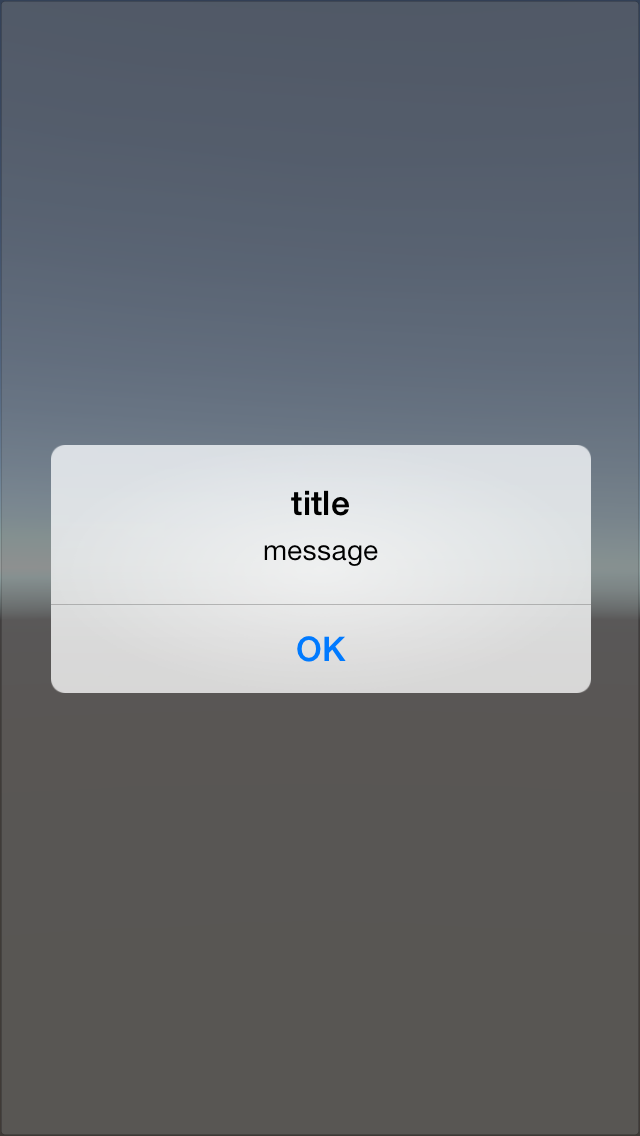
4、結果
できました。
アンドロイドでの同様な仕組みができれば、使い道は広がりそうです。
2015年3月28日土曜日
gitHubでなにか公開したかったから、UIWebViewとiOSの連携を考えなおしてみた
iOSとWebViewとの連携の仕方は
- shouldstartloadwithrequestでフックして、カスタムスキーマを動かす
- UIWebViewでjavascriptdでオブジェクトを制御して連携する
等ぐらいは知っていた。
でもこのやり方がどうしても馴染めなかった。
きっと自分はwebサーバと一緒の時間が長かったというのもあるのだけれども、
普通にajaxをなげて、サーバがデータを返すようにiOSが情報を返してくれるものが欲しかった。
といったものを
3年前ぐらいに考えて放っておいたものを
githubでなにか公開したいという理由で作ってみました。
動作フローは以下のとおりです
1, ajax等でex) http://xxxx.xxxx.xx:7777/test/ssss.jsonでアクセス
htmlは普通のサーバとのやりとりのように書くことができます。
2, NSURLProtocolが、登録しているURIでロジックオブジェクトへハンドリング
3, ロジックオブジェクトが処理をし返却するデータを準備
iOS側のロジックもhtmlのDOMとか気にしなくてよくなります。
4, まるで通信した結果のように、JSONとしてデータを受け取る
もしかしたら、
一回、iOS側のロジックをとおして、サーバに通信することで、セキュリティ向上できるかもしれません。
こんなことやるより、直接やる方が効率がよさそうですが、
馴染んでいる方法を選択するのも一つという
プロトタイプとして
https://github.com/withstandist/hagoita
- shouldstartloadwithrequestでフックして、カスタムスキーマを動かす
- UIWebViewでjavascriptdでオブジェクトを制御して連携する
等ぐらいは知っていた。
でもこのやり方がどうしても馴染めなかった。
きっと自分はwebサーバと一緒の時間が長かったというのもあるのだけれども、
普通にajaxをなげて、サーバがデータを返すようにiOSが情報を返してくれるものが欲しかった。
といったものを
3年前ぐらいに考えて放っておいたものを
githubでなにか公開したいという理由で作ってみました。
動作フローは以下のとおりです
1, ajax等でex) http://xxxx.xxxx.xx:7777/test/ssss.jsonでアクセス
htmlは普通のサーバとのやりとりのように書くことができます。
2, NSURLProtocolが、登録しているURIでロジックオブジェクトへハンドリング
3, ロジックオブジェクトが処理をし返却するデータを準備
iOS側のロジックもhtmlのDOMとか気にしなくてよくなります。
4, まるで通信した結果のように、JSONとしてデータを受け取る
もしかしたら、
一回、iOS側のロジックをとおして、サーバに通信することで、セキュリティ向上できるかもしれません。
こんなことやるより、直接やる方が効率がよさそうですが、
馴染んでいる方法を選択するのも一つという
プロトタイプとして
https://github.com/withstandist/hagoita
においてあります。
できれば、このやり方で一回アプリを出してみたいと思います。
2012年9月27日木曜日
[iOS,Box2D]衝突検知
1,Listenerを使う方法
class ContactListener:public b2ContactListener{
private:
    void BeginContact(b2Contact* contact){
        printf("#BeginContact ");
    }
    void PreSolve(b2Contact* contact, const b2Manifold* oldManifold){
    }
    void PostSolve(b2Contact* contact, const b2ContactImpulse* impulse){
    }
    void EndContact(b2Contact* contact){
    }
};

これを、Worldにセットしてあげればいい。

    b2Vec2 gravity(0.0f, 10.0f);
    world=new b2World(gravity);
    world->SetContactListener(&contactListener);

2,Setpをすすめるときに、直接「contactList」をチェックする
for(b2Contact *contact=world->GetContactList();contact!=nil;contact = contact->GetNext(),i++){

        b2Vec2 v= contact->GetFixtureB()->GetBody()->GetLinearVelocity();
        b2Contact *contact2=contact->GetNext();

        printf("nomal: %x,%x \n", contact,contact2);

        b2Manifold* m= contact->GetManifold();
        int cc=m->pointCount;
        if(v.Length()>0.1){
            printf("v.Length(): %f \n", v.Length());
            printf("cc: %d x:%f y:%f \n", cc,v.x,v.y);
            printf("%d #1-%s \n",i,[((UserData*)(contact->GetFixtureA()->GetBody()->GetUserData())).str UTF8String]);
            printf("%d #2-%s \n",i,[((UserData*)(contact->GetFixtureB()->GetBody()->GetUserData())).str UTF8String]);
        }

    }

1,2の方法の違い
通常は1の場合が便利、
2の場合は、接触している間、contactListに入っているので、初回のインパクトかどうかを判断する必要がある。
2はworldだけでなくbodyで取得できるので、対象をしぼったリストを取得することもできる。
2012年8月1日水曜日
[iOS]UIKitでBox2Dを使おう
xCode4.4で作業しました。
プロジェクトはとりあえず、SimpleView
Box2d
http://box2d.org/
projectのbuild setting
Always User Search paths :YES
Header serach paths に上記ディレクトリをフルパスで追加
Library search pathsに上記ディレクトリをフルパスで追加
とりあえず、サンプルHelloWorld.cppにあるソースをほぼコピーで動作確認。
ViewController.mmに拡張子を変更して、見た目ようにUiviewを用意しました。
動作確認はできたけど、座標系がUIKitのままだと、逆なのと、スケールもあってないので、調整が必要、32倍してとりあえず動いているのを確認。あと回転とかかな。
プロジェクトはとりあえず、SimpleView
Box2d
http://box2d.org/
をダウンロードしてBox2DフォルダをプロジェクトにDrop.
projectのbuild setting
Always User Search paths :YES
Header serach paths に上記ディレクトリをフルパスで追加
Library search pathsに上記ディレクトリをフルパスで追加
とりあえず、サンプルHelloWorld.cppにあるソースをほぼコピーで動作確認。
ViewController.mmに拡張子を変更して、見た目ようにUiviewを用意しました。
#import "ViewController.h"
#import
@interface ViewController (){
b2World* w;
b2Body* body;
}
@end
@implementation ViewController
//@synchronized obj;
- (void)viewDidLoad
{
[super viewDidLoad];
b2Vec2 gravity(0.0f, -10.0f);
w=new b2World(gravity);
// Define the ground body.
b2BodyDef groundBodyDef;
groundBodyDef.position.Set(0.0f, -10.0f);
// Call the body factory which allocates memory for the ground body
// from a pool and creates the ground box shape (also from a pool).
// The body is also added to the world.
b2Body* groundBody = w->CreateBody(&groundBodyDef);
// Define the ground box shape.
b2PolygonShape groundBox;
// The extents are the half-widths of the box.
groundBox.SetAsBox(50.0f, 10.0f);
// Add the ground fixture to the ground body.
groundBody->CreateFixture(&groundBox, 0.0f);
// Define the dynamic body. We set its position and call the body factory.
b2BodyDef bodyDef;
bodyDef.type = b2_dynamicBody;
bodyDef.position.Set(0.0f, 4.0f);
body = w->CreateBody(&bodyDef);
// Define another box shape for our dynamic body.
b2PolygonShape dynamicBox;
dynamicBox.SetAsBox(1.0f, 1.0f);
// Define the dynamic body fixture.
b2FixtureDef fixtureDef;
fixtureDef.shape = &dynamicBox;
// Set the box density to be non-zero, so it will be dynamic.
fixtureDef.density = 1.0f;
// Override the default friction.
fixtureDef.friction = 0.3f;
// Add the shape to the body.
body->CreateFixture(&fixtureDef);
//世界はタイマーですすみます。
float32 timeStep = 1.0f / 60.0f;
NSTimer *timer = [NSTimer
scheduledTimerWithTimeInterval:timeStep
target:self
selector:@selector(updateWorld:)
userInfo:nil
repeats:YES
];
}
-(void)updateWorld:(NSTimer *)timer{
int32 velocityIterations = 6;
int32 positionIterations = 2;
w->Step([timer timeInterval], velocityIterations, positionIterations);
// Now print the position and angle of the body.
b2Vec2 position = body->GetPosition();
float32 angle = body->GetAngle();
CGRect rect=self.obj.frame;
rect.origin.x=position.x*32;
rect.origin.y=position.y*32;
self.obj.frame=rect;
//printf("%4.2f %4.2f %4.2f\n", position.x, position.y, angle);
}
- (void)viewDidUnload
{
[super viewDidUnload];
// Release any retained subviews of the main view.
}
- (BOOL)shouldAutorotateToInterfaceOrientation:(UIInterfaceOrientation)interfaceOrientation
{
return (interfaceOrientation != UIInterfaceOrientationPortraitUpsideDown);
}
@end
動作確認はできたけど、座標系がUIKitのままだと、逆なのと、スケールもあってないので、調整が必要、32倍してとりあえず動いているのを確認。あと回転とかかな。
2012年6月27日水曜日
[iOS]代入してから変更する理由
最初のころ、viewの位置を動かすときなど、
view.frame.orign.x=100
みたいにやって変更できないことに悩んだ。
以下のようにやるとうまくいく、
CGRect rect=view.frame
rect.origin.x=100.0;
view.fame=rect;
理由を考えずにいたが、考えたら答えがすぐ出て来なかったのでここに書いておきます。
CGRect rect=view.frame
ができていることから、
view.frameがCGRectの値コピーを返していることがわかる。
値コピーの
origin.x にアクセスして値を変えてもview.frame自体の値が
変わるわけがないというもっともな答えにいきついた。
CGRectが構造体なのでもっともといえば、もっともな答えでした。
2012年1月3日火曜日
[iOs][storyboard]別ファイルからのnibの読み込み
[storybordからの取得]
EnemyStoryboard* st =[UIStoryboard storyboardWithName:@"EnemyStoryboard" bundle:nil]
[nibからの取得]
EnemyView* v= [[NSBundle mainBundle] loadNibNamed:@"EnemyView"
owner:self options:nil]lastObject];
EnemyViewController* vc=[[EnemyViewController alloc]
initWithNibName:@"EnemyViewController" bundle:nil];
(おまけ)
アウトレットの配列管理
@property (strong, nonatomic) IBOutletCollection(UIImageView) NSArray *damagePoint;
2011年12月6日火曜日
[ios][storyboard]ストリーボードの動作を確認してみた
まず、よくストリーボードでviewControllerからviewControllerをつなぐsegueをモーダルで画面遷移を定義していくが、AからBへいってBからAに戻る遷移をモーダルでつなぐ人がいたので、それはさすがに違うだろうと思うので実際確認してみた。
- (void)viewDidAppear:(BOOL)animated
{
NSLog(@"%@",self);
[super viewDidAppear:animated];
}
2011-12-06 00:26:53.328 modaltest[25564:f803]
2011-12-06 00:26:56.094 modaltest[25564:f803]
2011-12-06 00:27:04.040 modaltest[25564:f803]
2011-12-06 00:27:05.722 modaltest[25564:f803]
2011-12-06 00:27:09.271 modaltest[25564:f803]
2011-12-06 00:27:11.272 modaltest[25564:f803]
メモリは同じなので、遷移のスタックがたまっていってるのかな。
資料を探して行き詰まっていたけど、なんだかんだでたよりになるのは
テンプレートのソース。
リストテンプレートを見ればsegueからデータを次のviewControllerに渡す方法も分かる。
- (void)prepareForSegue:(UIStoryboardSegue *)segue sender:(id)sender
{
if ([[segue identifier] isEqualToString:@"showDetail"]) {
NSIndexPath *indexPath = [self.tableView indexPathForSelectedRow];
NSManagedObject *selectedObject = [[self fetchedResultsController] objectAtIndexPath:indexPath];
[[segue destinationViewController] setDetailItem:selectedObject];
}
}
リストテンプレートにCoreDataをチェックして作れば、動的Propetyでの利用の仕方が分かる。
- (UITableViewCell *)tableView:(UITableView *)tableView cellForRowAtIndexPath:(NSIndexPath *)indexPath
{
static NSString *CellIdentifier = @"Cell";
}
カスタムセルが作りやすくなっている気がします。
意外と使えるかも、ストリーボード!
2011年11月5日土曜日
iOS5で困ったこと
iOS5で困ったことなのか、Xcode4.2で困ったことなのか分からないが、
「レスポンダチェイン」がすべてのオブジェクトにチェインしていないようだ。
親でtouchMove
子でtouchBegin
子でtouchBeginイベントをとったらtouchMoveイベントも子のみしか取得できていないみたい。
とりあえず、このtouchMoveからsuperviewへそのままイベントを流す処理を記載しました。
何か、設定があればいいなぁ。
2011年9月19日月曜日
[iOS][emo-framework]squirrelに機能を追加してみる
7月末くらいに知って、なかなかいいぞと会社の同僚に薦めていたけど、自分はゲーム開発をしないのでサンプルを一通りみるだけだったiOSとAndroid両用フレームワークのemo-frameworkを少しいじってみました。
両用のフレームワークなので独自の追加なんてしない方がいいのだが、拡張性ってフレームワークの選択で大事だよね。
[emo-framework ver 0.1.4.14]を使用します。
とりあえず。
tools=emo.Tools();
class Main(){
function onMotionEvent(mevent) {
if (mevent.getAction() == MOTION_EVENT_ACTION_DOWN) {
print(format("EVENT: %dx%d", mevent.getX(), mevent.getY()));
tools.alert("テスト","こんな文字を出します!");
}
}
}
が動くようにしてみようと思います。
Constant.h
#define EMO_TOOLS_CLASS "Tools"
他の関数を参考に実装します。
glue(のり)ファイルを用意しているみたいなのでさっくと次の構成にします。
EmoTools.h
EmoTools.m
EmoTools_glue.h
EmoTools_glue.m
あと、EmoEngineに関連づけます。
とりあえず、Alertを普通に実装をします。
EmoTools.h
#import
@interface EmoTools : NSObject;
-(void)alert:(NSString *)title message:(NSString*)message;
@end
EmoTools.m
#import "EmoTools.h"
@implementation EmoTools
-(void)alert:(NSString *)title message:(NSString*)message{
UIAlertView *alert= [[UIAlertView alloc]
initWithTitle:title
message:message
delegate:nil
cancelButtonTitle:@"OK"
otherButtonTitles: nil];
[alert show];
[alert release];
}
@end
EmoTools_glue.h
#import "squirrel.h"
void initToolsFunctions();
SQInteger emoAlert(HSQUIRRELVM v);
EmoTools_glue.m
#import "EmoTools_glue.h"
#import "Constants.h"
#import "EmoEngine.h"
#import "VmFunc.h"
extern EmoEngine* engine;
void initToolsFunctions() {
//ここでEmo.toolsと関連づけます。
registerClass(engine.sqvm, EMO_TOOLS_CLASS);
//ここでfunctionと関連づけます。ここが増えていきます。
registerClassFunc(engine.sqvm, EMO_TOOLS_CLASS, "alert", emoAlert);
//registerClassFunc(engine.sqvm, EMO_TOOLS_CLASS, "alert2", emoAlert);
//registerClassFunc(engine.sqvm, EMO_TOOLS_CLASS, "alert3", emoAlert);
}
SQInteger emoAlert(HSQUIRRELVM v) {
const SQChar* title;
const SQChar* message;
//引数の取得です
SQInteger nargs = sq_gettop(v);
if (nargs >= 2 && sq_gettype(v, 2) == OT_STRING && sq_gettype(v, 3) == OT_STRING) {
//引数2番目がスクリプト内の第一引数です
sq_getstring(v, 2, &title);
sq_getstring(v, 3, &message);
} else {
sq_pushinteger(v, ERR_INVALID_PARAM);
return 1;
}
NSString* nstitle = [[NSString alloc]initWithUTF8String:title];
NSString* nsmessage = [[NSString alloc]initWithUTF8String:message];
//ここで実装を呼び出します。
[engine.tools alert:nstitle message:nsmessage];
[nstitle release];
[nsmessage release];
return 1;
}
あとは、エンジンに関連づけます。
EmoEngine.h
EmoTools* tools;
@property (readonly) EmoTools* tools;
EmoEngine.m
@synthesize tools;
- (void)initScriptFunctions {
register_table(sqvm, EMO_NAMESPACE);
・
・
//追加
initToolsFunctions();
}
- (BOOL)startEngine:(GLint)width withHeight:(GLint)height {
isFrameInitialized = FALSE;
lastError = EMO_NO_ERROR;
isRunning = TRUE;
sortOrderDirty = TRUE;
stopwatchStarted = FALSE;
enablePerspectiveNicest = TRUE;
enableOnDrawFrame = FALSE;
accelerometerSensorRegistered = FALSE;
enableOnUpdate = FALSE;
audioManager = [[EmoAudioManager alloc]init];
drawables = [[NSMutableDictionary alloc]init];
stage = [[EmoStage alloc]init];
netTasks = [[NSMutableDictionary alloc]init];
database = [[EmoDatabase alloc]init];
imageCache = [[NSMutableDictionary alloc]init];
// 追加
tools = [[EmoTools alloc] init];
・
・
}
こんな感じに簡単に拡張することができました。
これで、アプリ内課金の実装も安心です。
登録:
投稿 (Atom)

 投稿
投稿

